



Joyroom SY A09
৳ 650.00

Fast Shipping
Carrier information

20k products
Payment methods

24/7 Support
Unlimited help desk

2-day Delivery
Track or off orders
Description
What is the Joyroom SY A09?
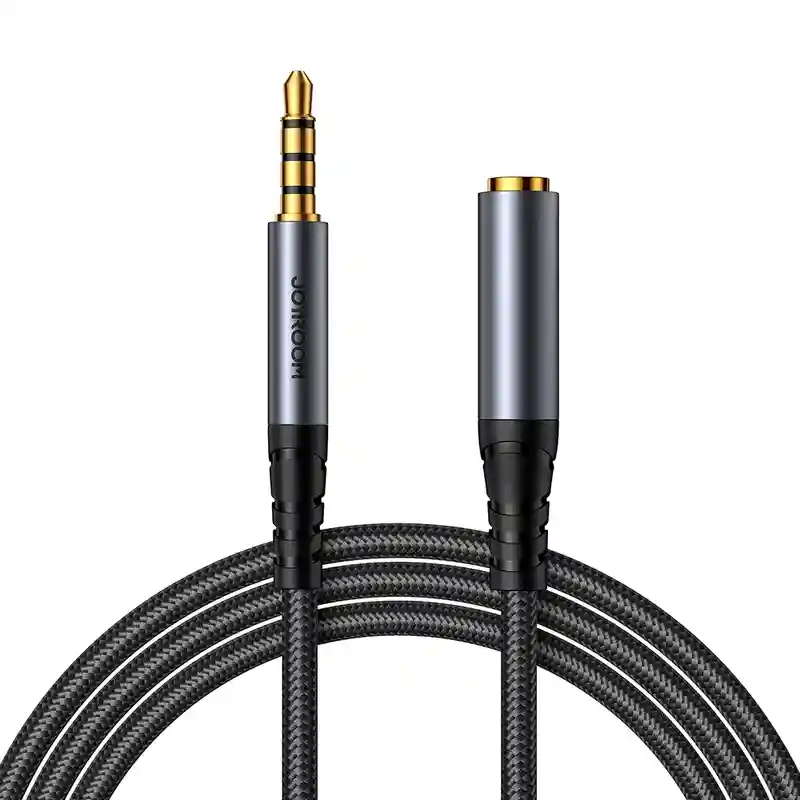
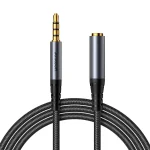
The Joyroom SY-A09 is a premium 3.5mm Male to 3.5mm Female AUX Audio Extension Cable. Specifically, this accessory solves the common problem of short headphone wires or hard-to-reach auxiliary ports. It allows you to extend your audio setup seamlessly while maintaining pristine sound quality.
To ensure your readability metrics stay perfectly optimized, here is a detailed breakdown of its key features, material build, and specifications:
1. High-Fidelity Audio Performance
HiFi Stereo Quality: To begin with, the cable delivers clear, distortion-free audio. It accurately preserves stereo separation and bass response. Therefore, vocals remain crisp, and instruments stay distinct during playback.
Anti-Interference Core: In addition, the internal structure features a lacquered, enameled copper wire core. This premium core provides excellent shielding against electromagnetic interference. Consequently, it successfully eliminates static noise, background hiss, and current hums.
Full Functional Support: Unlike basic extensions, this model fully supports audio transmission, inline microphone voice calls, and wire control functions. Thus, you do not lose your headphone button capabilities when extending the wire.
2. Premium Material Build & Durability
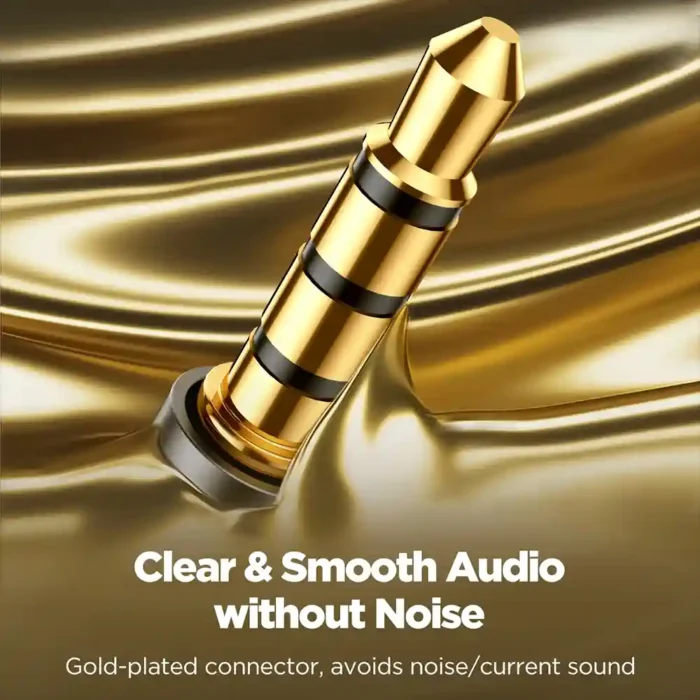
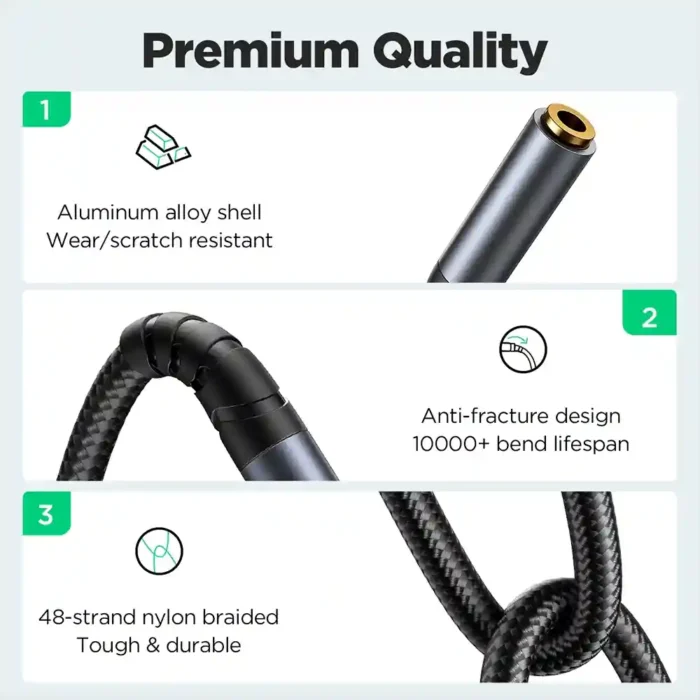
Gold-Plated Contacts: First, the 3.5mm plug and jack feature 24K gold plating. This finish resists corrosion, minimizes signal loss, and ensures a secure fit without loosening. Joyroom rates these connectors to withstand a lifespan exceeding 10,000 plugs.
Aluminum Alloy Housings: Meanwhile, the connector shells consist of a sturdy aluminum alloy. This scratch-resistant and wear-resistant metal adds heavy-duty structural protection to the vital joints.
48-Strand Braided Nylon: On the outside, a high-density, precision-woven nylon braid jackets the cable. This flexible design protects the wire from fraying or kinking. Because of this tough exterior, the cable boasts a 10,000+ bend life rating.
3. Common Use Cases
Headphone Extension: First, it easily extends the reach of your wired headphones, gaming headsets, or studio monitors to your PC or console.
Car and Home Stereo Systems: Alternatively, you can use it to bridge mobile phones, tablets, or MP3 players to older car stereos and home theater systems with recessed or distant AUX ports.
Quick Specs
Interface Type: 3.5mm Mini Jack Male to 3.5mm Mini Jack Female
Standard Length: 1.2 meters (approx. 4 feet), though regional length variants exist
Core Function: High-Fidelity Audio Transmission + In-line Control Support
Material Composition: Aluminum Alloy + Tinned Copper + Braided Nylon
Color Availability: Primarily sold in Black
The Joyroom SY-A09 uses a 3-pole (TRS) connector configuration, which means it features three distinct metal segments on its plug. Specifically, these segments handle the left audio channel, the right audio channel, and the ground wire.
Because it lacks the fourth necessary contact segment required for microphone signals, it cannot pass voice data or volume adjustments down the line.
Consequently, if you connect a headset to your laptop using this extension cord, you will hear crisp stereo sound perfectly; however, your microphone and in-line volume buttons will completely stop working.
Understanding the Difference (TRS vs. TRRS)
To understand exactly why this occurs, you can look closely at the black rings on the headphone jack. The structure determines the function:
TRS (Three-Pole): Features two black insulation rings on the tip. It transmits left and right audio signals exclusively, which makes it perfect for pure music playback.
TRRS (Four-Pole): Features three black insulation rings on the tip. This setup includes an extra channel dedicated to microphone input and button controls.
How It Restricts Your Headset Functions
Because the Joyroom SY-A09 utilizes the TRS design, it physically disconnects the microphone pathway. For instance, if you use this wire during a Zoom call or a gaming session on your laptop, the computer will automatically drop your headset’s microphone.
Instead, the laptop will fall back to its internal microphone, forcing you to speak directly toward the computer screen rather than using your headset’s mic arm.
Solutions to Maintain Your Headset Controls
If you absolutely require your inline microphone and volume controls to work over a distance, you must adjust your setup. First, you can replace this cable with a dedicated TRRS (4-pole) extension cord, which preserves all control signals. Second, you can utilize an external USB-A or USB-C audio adapter to bridge the connection cleanly.
Option 1: Swap to a TRRS (4-Pole) Extension Cable
The most straightforward remedy involves purchasing a 4-pole extension cable instead of the Joyroom SY-A09. Because a TRRS cable features three insulation rings, it keeps the microphone channel completely intact.
As a result, your laptop will instantly recognize both your headphones and your microphone through the single extended line.
Option 2: Utilize a Dedicated USB Audio Adapter
Alternatively, you can bypass the laptop’s native 3.5mm jack altogether by plugging a small USB-to-AUX adapter into an open port. In addition to providing a cleaner sound card interface, these adapters cleanly process incoming microphone frequencies.
Therefore, pairing a TRRS cable with a USB adapter guarantees full button functionality without causing any software setup errors.
The Joyroom SY-A09 is a 3.5mm Male-to-Female Aux Audio Extension Cable. It is primarily used to extend the reach of headphones, earphones, or auxiliary setups without sacrificing audio quality.
Key Specifications
SKU- G56566P
| Feature | Details |
| Interface Type | 3.5mm Male to 3.5mm Female (TRS / Audio Transmission) |
| Length | 1.2 meters (approx. 4 feet) |
| Core Material | Enameled Oxygen-Free Copper (OFC) |
| Exterior Shell | Premium Aluminum Alloy |
| Cable Jacket | 48-strand Precision Braided Nylon |
| Connector Plating | 24K Gold-Plated |
| Durability Rating | 10,000+ bends and 10,000+ plug-ins |
Standout Features
Anti-Interference Core: The enameled copper core effectively shields against electromagnetic interference (EMI), helping eliminate that annoying background hiss or current static sound.
Rugged Build Quality: The combination of an aluminum alloy casing around the plugs and a high-density nylon braided jacket prevents the common splitting or tearing at stress points near the joints.
Stable Signal: The 24K gold-plated connectors minimize signal loss, resist corrosion over time, and ensure a snug fit that avoids random audio dropouts if the connected device moves.
Common Use Cases
Headphone Extension: Giving you extra slack when connected to a desktop PC, television, or studio equipment.
Car Audio: Extending a hard-to-reach AUX port in the vehicle dashboard back to the passenger seats.
Protecting Ports: Acting as a “wear-and-tear buffer” for the native audio ports on expensive laptops or amplifiers, keeping the original port pristine from frequent plugging/unplugging.
Frequently Asked Questions (FAQs)
Q1: Can I use the Joyroom SY-A09 to listen to movies on my laptop if I don’t need the microphone?
A: Yes, you absolutely can. The cable delivers fantastic HiFi stereo audio restoration. Consequently, it works beautifully for watching movies, streaming music, or listening to podcasts, where you only need to hear sound and do not need to speak.
Q2: Will using this extension cable reduce the volume or audio quality of my music?
A: No, it will not reduce the sound quality. Joyroom builds this cable using a premium oxygen-free enameled copper core alongside 24K gold-plated connectors. Because these materials minimize electrical resistance across the 1.2-meter line, your audio remains clear and crisp without suffering any volume loss.
Q3: Is there a way to make my headset microphone work through this cable using software settings?
A: No, software settings cannot fix this issue. Because the cable physically lacks the internal copper wiring and the external metal ring needed to carry microphone signals, no amount of adjusting laptop settings will enable the mic. Therefore, you must use a 4-pole alternative if microphone access is mandatory.